Dev License: This installation of WHMCS is running under a Development License and is not authorized to be used for production use. Please report any cases of abuse to abuse@whmcs.com

How to Log in to Virtualizor Control Panel

You can find the Control Panel URL, username and password in your VPS welcome email.


Virtualizor Login details example:
Control Panel URL: https://cp.example.com:4083 or with the IP Address.
Username: Your email address.
Password: example.

How to log in to Virtualizor Control Panel?


1. Open VPS Control Panel.

2. Enter your Virtualizor username and password.
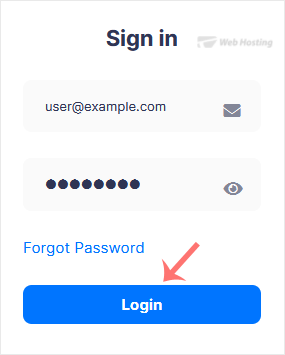
virtualizor-login-page.gif

Click on Login, and you will be redirected to the Virtualizor VPS management area.

  • 0 Uživatelům pomohlo
Byla tato odpověď nápomocná?

Související články

How to Check VPS Online or Offline Status in Virtualizor

Do you want to check your Virtualizor VPS status and determine whether the VPS is offline or...

How to Check VPS Specifications and Virtualization Info in Virtualizor

You can check VPS specifications such as RAM, disk space, virtualization, IP Address, etc., from...

How to Change Your Virtualizor Account Password

If you can access your Virtualizor VPS control panel, you can easily change your Virtualizor...

Powered by WHMCompleteSolution