Dev License: This installation of WHMCS is running under a Development License and is not authorized to be used for production use. Please report any cases of abuse to abuse@whmcs.com

How to Reinstall an OS Using SolusVM 2

You can easily Install/Reinstall the operating system using SolusVM 2. However, note that this option will destroy all the data on your VPS.


1. Log in to your SolusVM 2 Control Panel.


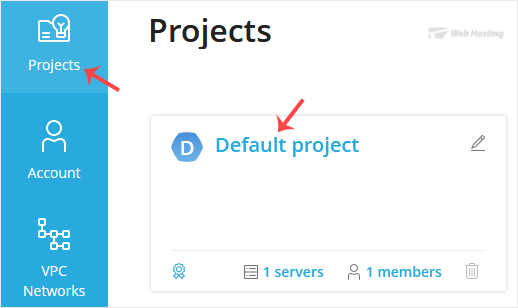
2. Under Projects, click on the project that contains your VPS.
solusvm2-vps-status.gif

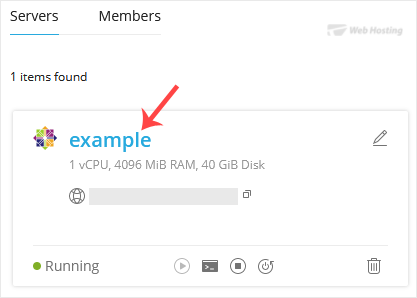
3. Click on the appropriate VPS.
solusvm2-vps-select.gif


4. Click on Reinstall.
solusvm2-reinstall-option.gif

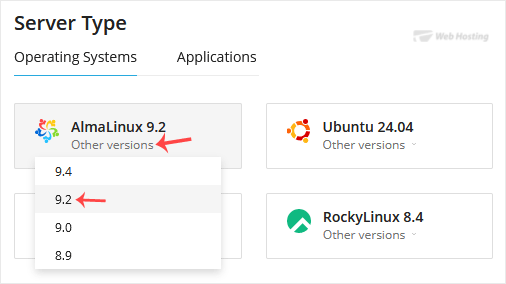
5. In the Operating System section, select the OS you want to install. To choose a specific version, click Other Versions and choose it from the list.
solusvm2-select-os-version.gif

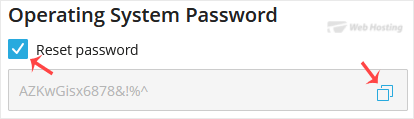
6. Tick the Reset password option, click the clipboard icon to copy the password, and save it in Notepad, as you will need it later to access your VPS.
solusvm2-os-reset-password.gif


7. Scroll down to the end of the page and click on Reinstall. A confirmation box will prompt. Choose Reinstall to proceed.

solusvm2-reinstall-button.gif

It will show a message that the installation can take up to 10 minutes. Copy the password to Notepad as you will need it later to access your VPS.

  • 0 کاربر این را مفید یافتند
آیا این پاسخ به شما کمک کرد؟

مقالات مربوطه

How to Reboot/Restart VPS in SolusVM 2

You can restart VPS via the command line or SolusVM 2. How to Reboot/Restart a VPS via SolusVM...

How to Forcefully or Gracefully Shut Down the VPS in SolusVM 2

You can shut down the VPS in two ways - forcefully or gracefully in SolusVM 2. How to...

How to Start/Boot Your VPS in SolusVM 2

If your VPS is down/offline, you can start it using SolusVM 2.1. Log in to your SolusVM 2 Control...

How to Access VPS via VNC in SolusVM 2

You can access your VPS via VNC in an emergency, such as when a firewall blocks your IP, the...

How to Install an OS from ISO in SolusVM 2

Installing an OS from an ISO image allows customization, such as partition editing and other...

Powered by WHMCompleteSolution